IKEA
- 4.7
- Rating
- 50.00M
- Installs
- Free
- Price

 Analysis by App-foxy
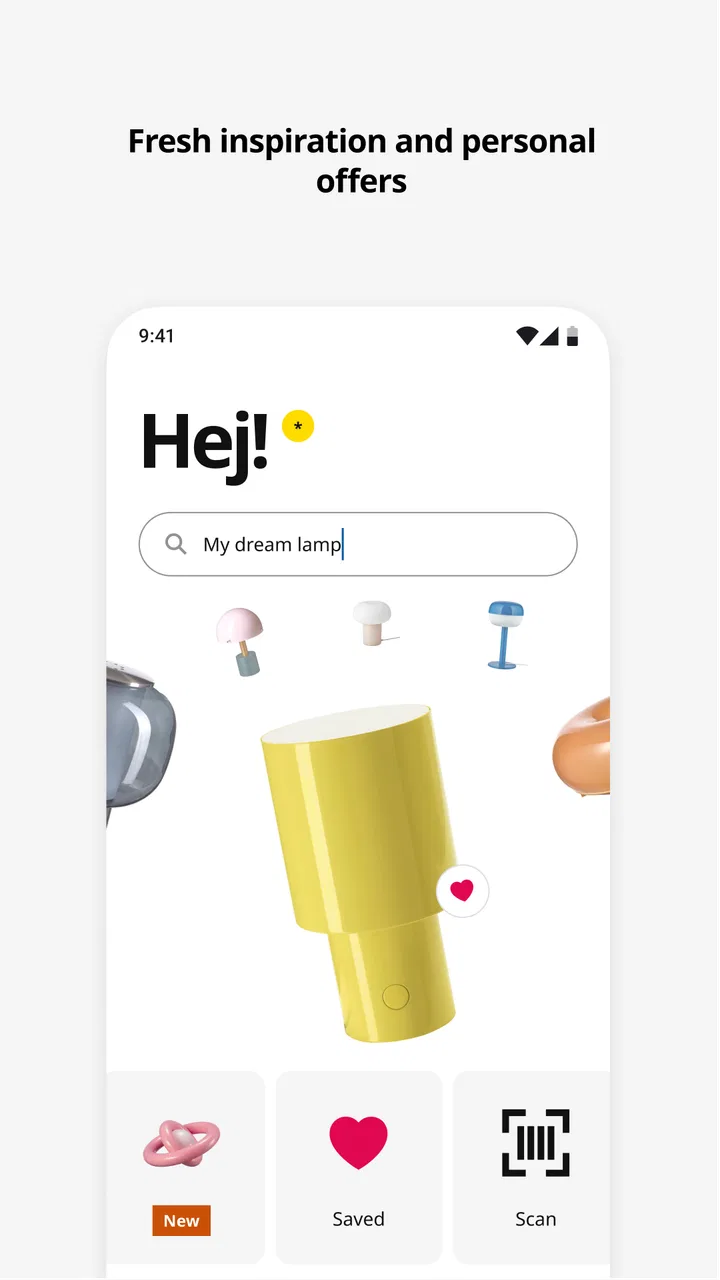
Buying furniture is usually easier when I can see the full range, compare options at my own pace, and check practical details before making a trip. That is where IKEA fits well. It is a free shopping app from Inter IKEA Systems B.V. that brings browsing, product discovery, and checkout into one mobile experience. I found it most useful as a planning tool rather than something I would open casually without a specific project in mind.
The app is aimed at everyone, and its appeal is straightforward: I can explore furniture and home accessories, build a shortlist, and move closer to a purchase without starting from a desktop browser. It is available for Android devices running version 9 or later, and its current version is 4.35.0. The large user base also gives a useful indication of its reach, with over 50 million installs and a 4.7 average from around 244 thousand ratings.
My overall impression is positive, especially for someone furnishing a room, replacing a worn-out item, or trying to coordinate several IKEA pieces. The experience is not perfect, though. A shopping app cannot remove the most important decisions: whether an item will fit, whether its color works in your room, whether you are ready to assemble it, and whether buying online or visiting a store makes more sense. The app helps with those decisions, but it does not make them for you.
You May Also Like

 AccuWeather: Weather Radar
AccuWeather Review: A Quick, Clear Forecast for Everyday Decisions
For everyday plans, the best forecast is the one you can understand quickly. AccuWeather makes rain timing, radar, and local conditions easy to act on, with a few trade-offs.

 Hill Climb Racing
Why Hill Climb Racing Still Turns Crashes Into One More Run
A tiny car, a bumpy hill and one more upgrade: Hill Climb Racing keeps resurfacing because its simple chaos makes every near-miss feel personal.

 AliExpress - Shopping App
AliExpress Makes Global Shopping Feel Personal, but Shoppers Bear the Risk
AliExpress turns a global marketplace into a pocket-sized discovery engine. Its reach is useful, its shopping loop compelling, and its trade-offs easy to miss.

 Lords Mobile: Kingdom Wars
Lords Mobile Is a Kingdom-Building Routine, Not a Quick Match
A case-by-case verdict on the building, battles, device demands, and social commitments that make Lords Mobile rewarding for some players and exhausting for others.

 PDF Scanner app - TapScanner
TapScanner Makes Paperwork Easier to Capture, Check, and Share
TapScanner makes scanning with a phone feel less like a rescue operation and more like a dependable step in getting work done. Its capture tools are useful, though not flawless.

 Block Blast!
 Shows How Much a Puzzle Game Can Leave Out
A quiet grid game shows why puzzle players increasingly value instant clarity, repeatable skill and low-pressure play—and where the genre still needs to catch up.
More From Our News Desk
View All News


From installing the app to making a useful first decision
I find the first useful decision is not what to buy, but what problem the purchase needs to solve. I’d use this section to turn an initial browse into a focused plan, keeping one practical constraint in view before comparing products. That makes it easier to judge whether the app is helping me choose—or merely giving me more things to consider.
What to expect when you open it
The first thing I would tell a new user is not to treat this as a simple catalog. It is better understood as a mobile workspace for a furniture purchase. You can begin with inspiration, search for a particular product, or use the app while already standing in an IKEA store. Those are different situations, and the app feels more valuable when you use the part that matches your immediate goal.
If you are only browsing, the large selection can feel slightly overwhelming. IKEA sells products for bedrooms, kitchens, living rooms, work areas, storage, lighting, and everyday household tasks, so a broad search can quickly produce more possibilities than you need. I get better results when I begin with a room or a clear problem: “small desk,” “closed storage,” “bedside lighting,” or “organizing a narrow hallway.” A concrete starting point keeps the browsing session from becoming an endless scroll.
The app is also useful before visiting a store. I can investigate an item at home, note the details that matter, and arrive with a more focused list. That is a practical advantage over wandering through a physical showroom and trying to remember every product afterward. On the other hand, the store remains better for judging scale, texture, comfort, and color in person. The app should support that visit, not always replace it.
For a first-time user, the most important expectation is that product research still needs attention. A picture may suggest how a cabinet or chair will look, but my room has different light, proportions, and surrounding furniture. I would use the app to narrow the choice, then check the product information carefully and think through the space before paying.
Setting up without turning it into a project
Installation is simple in principle: download the free app, open it, and start exploring. I would not create a shopping list before looking around. Instead, I would first search for one item that represents the reason I installed it. That gives the app an immediate purpose and helps me understand how its browsing and product pages are organized.
When I shop for furniture, I prefer to make a small shortlist rather than keep many tabs or screenshots. A shortlist is easier to revisit when I am comparing finishes, styles, or related pieces. It also reduces a common mistake: choosing an item because it looks appealing on its own, then discovering later that it does not work with the rest of the room.
My setup routine would be especially simple for a planned purchase. I would write down the room, the maximum space available, the function I need, and the details that cannot change. For example, a desk may need to fit beside a window, hold a monitor, and leave enough room to open a nearby drawer. Searching with those constraints in mind is much more effective than starting with a favorite color.
The app is free, which makes it easy to keep installed even if I am not ready to buy immediately. That matters for larger projects where I may compare products over several days. I can use it for early research without treating every browsing session as a commitment to purchase. The content rating is Everyone, so it is also a straightforward option for households where several people may be involved in choosing furniture.
The first successful action I recommend
For a first meaningful success, I would choose one product and take it all the way through the decision process without necessarily completing payment. Search for an item, open its details, examine the available information, and decide whether it belongs on your shortlist. Then compare it with at least one alternative that serves the same purpose. This small exercise teaches more than browsing dozens of unrelated products.
For example, imagine I need storage for a small bedroom. I would search for bedroom storage, narrow my attention to units that suit the available wall, and compare open shelving with a closed cabinet. The open option may make frequently used items easy to reach, while the closed one may make the room look calmer. The better choice depends on how I actually live, not simply on which product photograph I prefer.
This is one of the app’s strongest uses: turning an unstructured furniture problem into a manageable comparison. I can move from “I need to improve this room” to “these two products solve the problem in different ways.” That is a more realistic path to a good purchase than collecting inspiration without deciding what the room needs.
Before checkout, I would also pause to consider delivery or collection in the context of the item. A small accessory is easy to handle differently from a large wardrobe or sofa. The app can help me shop, but the practical side of getting furniture home remains part of the decision. If I am buying several pieces, I would review the whole order together rather than treating each product as an isolated purchase.
Where first-time users can become confused
The biggest source of confusion is often the difference between seeing a product and being ready to buy it. A product photo can make the item feel familiar, but furniture decisions depend on details such as dimensions, construction, finish, storage layout, and how the piece interacts with the room. I would never rely on the image alone, especially for anything large or difficult to return.
Another common mistake is assuming that a related product automatically belongs in the same purchase. IKEA collections often encourage coordinated rooms, but coordination can lead to unnecessary spending. I try to separate “this matches” from “this solves a problem.” If an accessory does not improve the room or make daily use easier, I leave it off the shortlist.
Search can also produce a false sense of certainty. A short product name may hide several variations, and two visually similar pieces can serve different purposes. I recommend opening each candidate instead of choosing from the first image that looks right. This takes a little longer, but it is quicker than correcting a poor purchase later.
There is also a practical limitation to shopping from a phone: judging scale is difficult. I can compare pictures and information, but I cannot truly experience the height of a chair, the depth of a shelf, or the feel of a surface through a screen. For those decisions, a physical store or a carefully measured room is the better reference. The app is strongest at organizing choices, not replacing every form of inspection.
A useful workflow for a real household task
Consider a realistic Saturday task: I want to refresh a home office without replacing everything. I would begin by photographing or measuring the available area outside the app, then use the app to explore desks, storage, and lighting. I would create a shortlist containing only pieces that meet the space and function requirements. After that, I would compare the shortlist as a group, looking for conflicts in style, placement, and everyday use.
The non-obvious benefit here is that the app can act as a memory aid. Instead of trying to remember which product had the right drawer arrangement or which finish looked closest to my existing furniture, I can return to the product pages and make the decision in stages. That is particularly helpful when another person in the household needs to review the options later.
I would then test the plan against real habits. If I work with cables, notebooks, and a laptop, open storage may be convenient but visually busy. If I need a clear surface for crafts, a deeper desk may matter more than a compact footprint. If the room is shared, a piece that looks attractive but leaves no comfortable walkway is not a successful choice. The app helps me examine products, while this kind of reasoning makes the purchase sensible.
For a store visit, I would use the app differently. I would arrive with a shortlist, check the products in person, and use the phone to revisit details rather than starting the search from zero. That workflow combines the convenience of digital browsing with the confidence of seeing furniture at full scale. It is better than relying only on the showroom or only on an image.
How it compares with ordinary shopping alternatives
Compared with a normal mobile browser, the IKEA app feels more focused for people who already know they want IKEA products. A browser can be useful for broad research across different retailers, but the app keeps the product journey within one brand and makes it easier to return to the same shopping context. I prefer the app when I am comparing several IKEA items or planning a coordinated room.
A general marketplace is better when my priority is the widest possible range of brands, used furniture, or unusual secondhand finds. It may also be a better choice when I want to compare prices across retailers before committing. The IKEA app is not meant to be a universal furniture marketplace; its value comes from the consistency of the IKEA catalog and the direct path from discovery to checkout.
Physical shopping still wins for comfort and material judgment. I would rather sit on a chair before buying it, inspect a finish under real light, or open a drawer myself when those details are central to the decision. The app wins for preparation, comparison, and reducing the mental load of remembering products during a larger project.
In short, I see it as complementary to the usual alternatives. Use a browser or marketplace for broad comparison, visit a store for sensory checks, and use the app when you want a more organized IKEA-specific route from idea to order.
Who will get the most from it
This app is a strong fit for first-time IKEA shoppers who want to explore before visiting a store. It is also useful for renters, students, families, and anyone furnishing a room in stages. People who dislike carrying paper notes through a showroom may appreciate having their research in one place, while experienced IKEA shoppers can use it to move more quickly through familiar categories.
I think it is especially valuable for people who shop collaboratively. A room project often involves more than one opinion, and a mobile shortlist makes it easier to discuss actual products instead of vague descriptions. It can also help someone who is not confident with furniture terminology begin with ordinary needs such as “more storage” or “a place to work” and gradually refine the search.
I would be more cautious about recommending it to someone who wants to compare every retailer in one session, buy mostly secondhand, or make a purchase based entirely on comfort and materials. Those shoppers may need a broader marketplace, local listings, or a physical visit first. The app can still be useful for inspiration, but it should not be the only tool.
The next step after the first purchase decision
Once I have found a suitable product, I would resist the temptation to keep browsing indefinitely. The next step is to verify that the item fits the room, supports the intended use, and makes sense alongside what I already own. If the answer is yes, I can move toward checkout with more confidence. If not, I return to the shortlist and change one requirement at a time instead of starting over.
For larger orders, I would review the complete plan before buying: which pieces are essential, which are optional, and which can wait. This prevents a common furniture-shopping problem where small additions quietly turn a focused purchase into an expensive room makeover. The app makes adding products convenient, so I find that a deliberate pause is useful.
It is also worth keeping expectations realistic after checkout. Furniture still needs space, handling, and assembly, and a digital shopping journey does not remove those responsibilities. I would make sure the route from delivery or collection to the final room is practical before ordering large items. That simple check can matter as much as choosing the right design.
Inter IKEA Systems B.V. has made a shopping app that feels most convincing when used with a clear purpose. It combines discovery and purchasing in a way that suits IKEA’s broad catalog, and its free access makes it easy to try before committing to a project. The 4.7 average across around 244 thousand ratings and its reach of over 50 million installs suggest that many shoppers find the approach dependable.
My recommendation is clear but not universal: install it if you are planning an IKEA purchase, comparing furniture for a specific room, or preparing for a store visit. Start with one practical need, build a short comparison, and check the physical realities before checkout. The best result comes from using the app as a decision-making tool, not as a substitute for measuring your room or testing furniture in person.
FAQs for IKEA
01What features does the IKEA app offer?
The IKEA app provides a range of features to enhance your shopping experience. You can browse the latest products, check availability, and create shopping lists. The app also offers a room design tool using AR technology, allowing you to visualize how furniture will look in your space before making a purchase.
02Is the IKEA app available on both Android and iOS devices?
Yes, the IKEA app is available for download on both Android and iOS platforms. You can find it on the Google Play Store for Android devices and the Apple App Store for iOS devices. Ensure your device meets the minimum operating system requirements for optimal performance.
03How does the AR feature in the IKEA app work?
The AR (Augmented Reality) feature in the IKEA app allows you to place virtual furniture in your home using your device's camera. This feature helps you visualize how products will fit and look in your space. Simply select a product and follow the on-screen instructions to see it in your room.
04Can I make purchases directly through the IKEA app?
Yes, you can make purchases directly through the IKEA app. The app allows you to add items to your cart, choose delivery or pickup options, and securely complete transactions. It also saves your purchase history and provides tracking information for your orders.
05Are there any known issues or limitations with the IKEA app?
Some users have reported occasional glitches with the AR feature and app crashes. It’s recommended to keep the app updated to the latest version to minimize these issues. Additionally, the app may have limited functionality in certain regions, so check your local IKEA website for more information.
Pros
- User-friendly interface enhances navigation.
- Wide range of products and categories.
- AR feature to visualize furniture in space.
- Easy access to store locations and hours.
- Regular updates improve app functionality.
Cons
- Requires stable internet for optimal use.
- Limited offline features available.
- Occasional bugs in AR feature.
- Notifications can be overwhelming.
- Checkout process can be slow at times.

IKEA
Gallery